What is ScopeBid?
ScopeBid is an estimate and invoice app for iPhone, made for independent service pros and small contractors. It remembers how you priced past jobs, shows your estimated profit before you send a quote, and turns an approved quote into an invoice. It all works offline, with no account.
Updated November 2026 · Honest Little Apps
Compare
Estimate app vs paper and spreadsheet quotes
Paper or notes app
- Starts blank every time
- Profit is a guess
- Retype it all for the invoice
Spreadsheet
- Good math, if you built it
- Awkward on a phone at the job
- Separate invoice file
ScopeBid
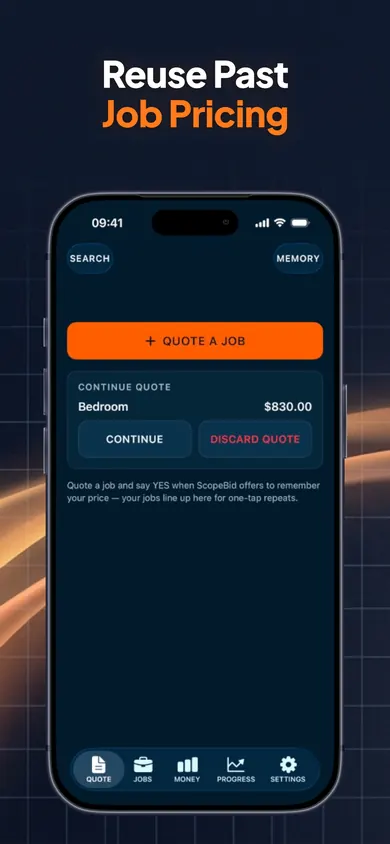
- Starts from a saved job or trade template
- Profit Guard before you send
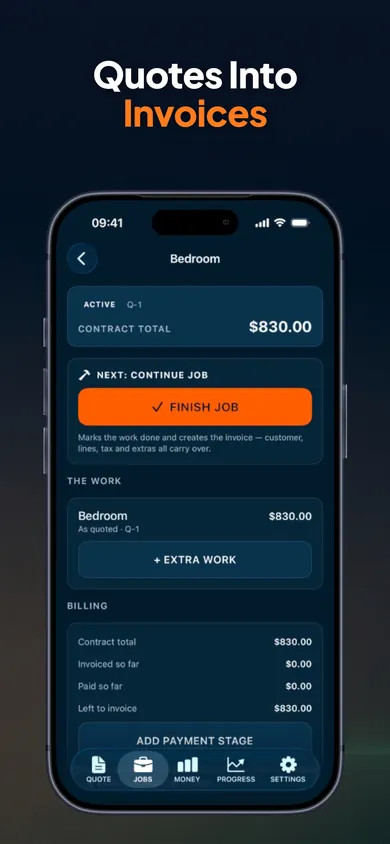
- Quote becomes the invoice
3 steps
How to make a contractor estimate in ScopeBid
- Reuse. Start from a saved job, a trade template or a blank quote. Business Memory shows the source job and date.
- Check profit. Price first, or cost first for a suggested price. Line items can be hourly, per person, crew, per unit or area.
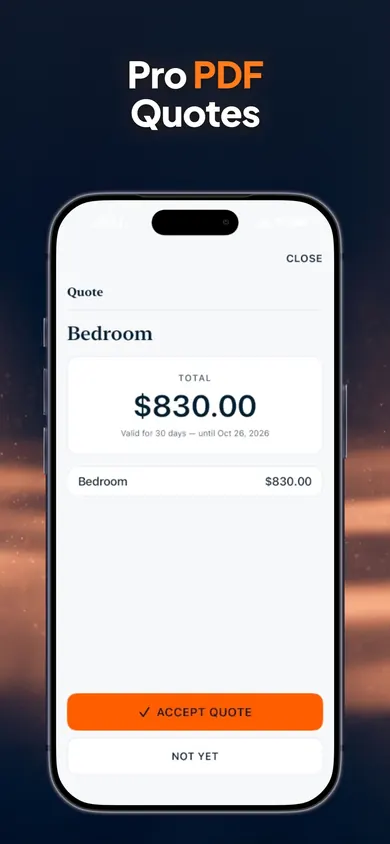
- Send, then close out. Share a PDF with your logo and terms, get an on-screen signature in person, and after the job enter actual labor and materials in a ten-second closeout.
Worked example
Markup vs margin on a real quote
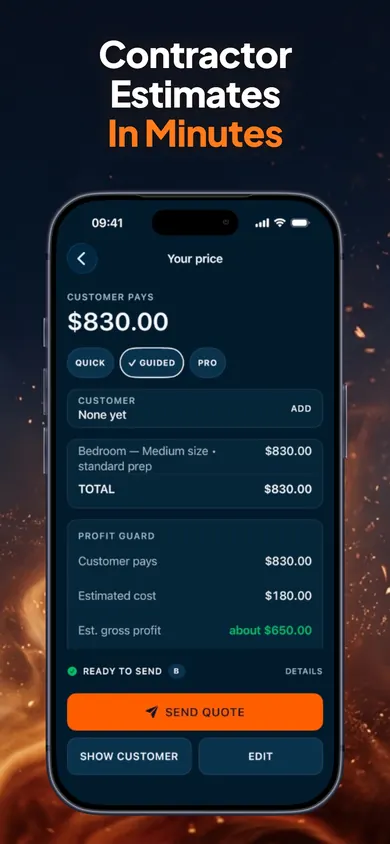
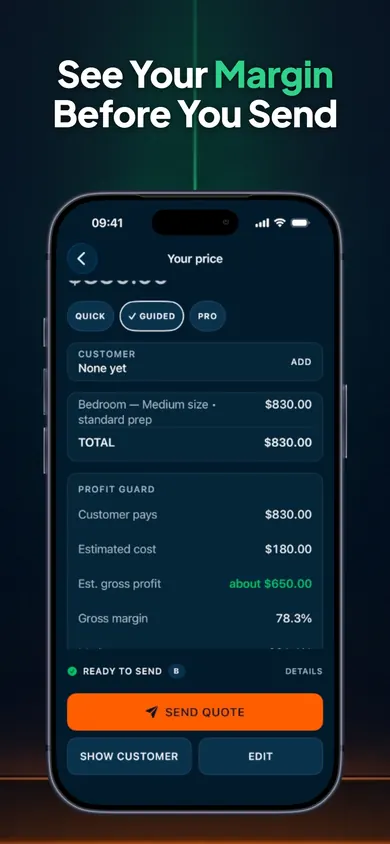
The bedroom paint job from our store screenshots, worked through.
| Customer pays | $830.00 |
|---|---|
| Estimated direct cost | $180.00 |
| Estimated gross profit | $650.00 |
| Gross margin profit ÷ price | 78.3% |
| Markup profit ÷ cost | 361.1% |
| Price after a 10% discount | $747.00 |
| Margin after the discount | 75.9% |
Same dollars, different denominators, as the U.S. Chamber of Commerce explains. And gross profit is not take-home pay: overhead, vehicle and your time still come out of it.
Real screens
Inside the quote and invoice app
Honest limits
What ScopeBid doesn’t do
- It does not process cards or move money. It records the payments you receive.
- It is not accounting or tax software. You set your tax rates and stay responsible for compliance; the IRS recordkeeping guide is a good place to start on what to keep.
- No cloud sync: your data lives on your iPhone. Export a backup from Settings.
- After 3 free quotes, unlimited quoting needs ScopeBid Pro.
Honest fit
Who ScopeBid is not for
- Contractors bidding large commercial projects from plans with takeoffs. You need dedicated estimating software.
- Crews that need scheduling, dispatch and card payments in one system. A field-service suite fits better.
- Anyone who wants bookkeeping. ScopeBid stops at quotes, invoices and job costs.
Contractor estimate questions
What is the best estimate app for contractors on iPhone?
The one that fits how you price. If you quote from past jobs and want to see profit before you send, ScopeBid is built for that, even with no signal. For card processing, crew scheduling or accounting in one place, a larger field-service suite fits better.
How do I write a contractor estimate?
List the work as line items, add materials and any trip charge or minimum, then tax, discount and deposit terms. Check what the job costs you before you send it. In ScopeBid you start from a saved job, a trade template or a blank quote, then share a PDF.
What is the difference between markup and margin?
Markup is profit as a share of your cost; margin is profit as a share of the price. A $100 job that costs $70 has a 42.9% markup but a 30% margin, as the U.S. Chamber of Commerce shows. ScopeBid's Profit Guard shows both side by side so the two never get mixed up.
Can I make estimates and invoices offline?
Yes. Quoting, PDFs, invoices and records all work with no internet, and there is no account or cloud copy of your business data.
Can I turn an estimate into an invoice?
Yes. An approved quote becomes an invoice without retyping, and change orders cover extra work mid-job. Record deposits and partial payments, and ScopeBid tracks the balance.
Does ScopeBid take card payments?
No. ScopeBid records payments; it does not process cards or move money. It is also not accounting or tax software: you set your own tax rates.
Is ScopeBid free?
It is free to download, and your first 3 quotes are free with full PDFs. Everything you create stays viewable and exportable. ScopeBid Pro adds unlimited quoting plus the full Business Memory, job costing and invoicing workflow.
Your next quote starts from your last one
Get ScopeBid free. Your first 3 quotes include full PDFs, or try the labelled example first.
More from ScopeBid
Related
- BookingSolved: appointment booking from client messagesBookingSolved is a free iPhone appointment booking app: paste a client message, check Apple Calendar, approve the booking and send a ready reply.
- EarnCheck: shift and pay trackerEarnCheck is a free iPhone shift and pay tracker: log shifts in one tap, estimate gross pay with overtime, and check your pay stub line by line.
- MoneyShield: subscription trackerMoneyShield is a free iPhone subscription tracker with no bank login. See what renews next, what it costs a year and what to cancel first.