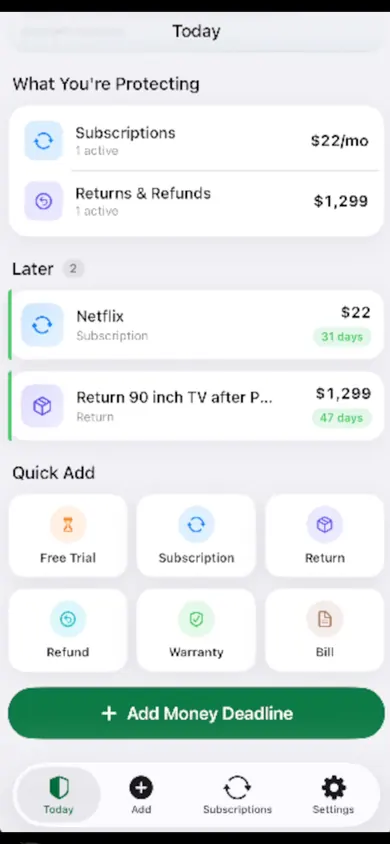
MoneyShield is a subscription tracker for iPhone that helps you decide which subscriptions to keep, which to cancel first, and when to act before the next charge. You add what you pay for; it shows the yearly cost, the next 30 days of charges and reminders in time. No account, no bank login.
Updated November 2026 · A note from Honest Little Apps
Who this subscription tracker is not for
You want subscriptions found for you. MoneyShield never reads your bank or email, so you add each one. A bank-linked tracker finds them, if you will share that login.
Everything you pay for is billed by Apple. Settings already lists those, and you can cancel there.
You want someone to cancel for you. MoneyShield points to the official route and keeps the record. It does not cancel, and it does not chase refunds.
Questions about tracking and cancelling subscriptions
How do I find all my subscriptions on iPhone?
Subscriptions billed through Apple are listed in Settings: tap your name, then Subscriptions, as Apple Support explains. Anything billed by another company only shows up on your bank or card statement. MoneyShield is where you put both kinds together, with their prices and next charge dates.
Is there a subscription tracker that doesn't need my bank login?
Yes. MoneyShield has no account, no login, no bank connection and no email scanning. Everything stays on your iPhone, and you can make a backup file to restore on a new phone. The trade-off is that you add each subscription yourself.
How do I cancel a subscription on iPhone?
For Apple-billed subscriptions: Settings, your name, Subscriptions, pick the subscription, then Cancel Subscription. If it isn't listed, Apple says to contact the company that bills you. MoneyShield's Cancellation Assistant points you to the official route either way, with a checklist and copy-ready request templates.
How do I avoid being charged after a free trial ends?
Write down the trial end date the day you start it. In MoneyShield you add it as a Free Trial with a cancel-by date and choose when to be reminded. Alerts up to 30 days ahead are part of MoneyShield Plus.
Does MoneyShield cancel subscriptions for me?
No. It shows where and how to cancel, keeps the confirmation number and paid-through date, and reminds you to check it went through. You do the cancelling.
Is MoneyShield free?
It is free to download and starts with 7 days of Full Protection, with no payment and no charge when they end. Then you move to the free plan unless you choose MoneyShield Plus: $3.99 a month, $24.99 a year or $59.99 once in the U.S.
Can it track returns, refunds and warranties too?
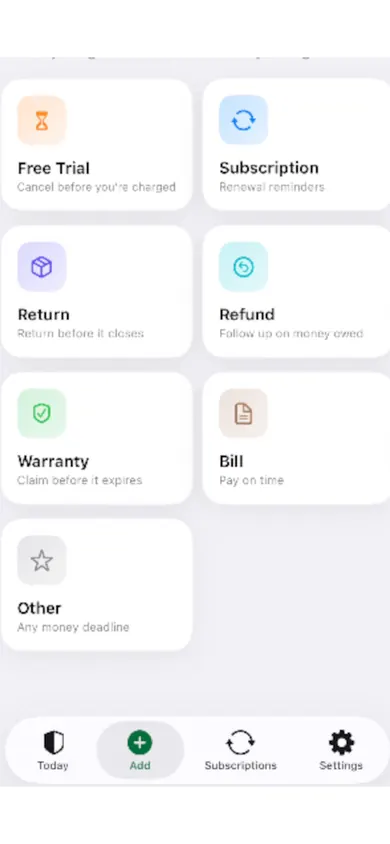
Yes. You can add returns, refunds, warranties, bills and any other money deadline, each with its own reminder.
Subscription tracker without a bank connection, compared
Four ways to keep track of recurring charges. Swipe the strip.
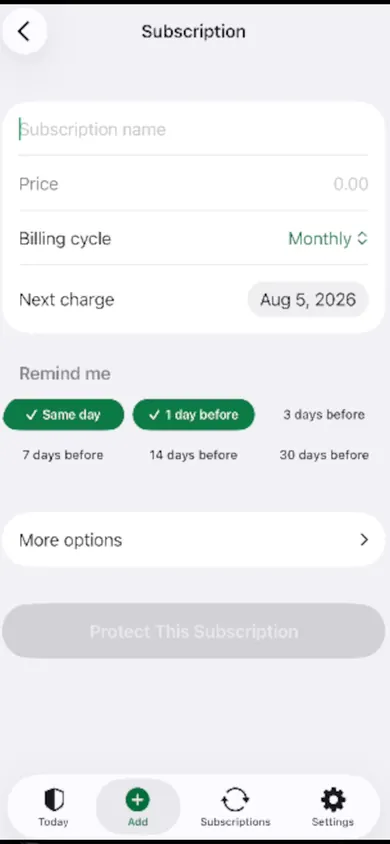
Add every money deadline once. Trials, subscriptions, returns, refunds, warranties and bills, each with a price and a next date, billed anywhere from weekly to yearly or on a custom cycle.
Choose when to hear about it. Same day, 1, 3, 7, 14 or 30 days before. The 30-day charge timeline on Today lists what is coming.
Decide, one subscription at a time. Cancel First ranks what is worth cancelling and says why. Tap Keep, Review Later or start cancelling, and log the confirmation number when it is done.
Honest limits
It does not cancel subscriptions, request or guarantee refunds, or give financial advice.
Totals and savings are estimates from the prices you type. Currencies are never mixed into one total.
The Protection Record only counts cancellations you confirm, so it will never claim money you did not save.
Unlimited subscriptions, alerts up to 30 days ahead, the full Cancel First ranking, saved What If scenarios and export are in MoneyShield Plus.
Try a What If: the yearly cost of five subscriptions
A small version of MoneyShield's What If planner, with sample prices. Tick what you would cancel.
Next 30 days$0.00
Per month$0.00
Per year$0.00
Pick one or more to see the difference. Figures are estimates from the sample prices.
Try MoneyShield free on iPhone
Start with the clearly labelled demo, then add your own subscriptions when you are ready.
EarnCheck: shift and pay trackerEarnCheck is a free iPhone shift and pay tracker: log shifts in one tap, estimate gross pay with overtime, and check your pay stub line by line.
ScopeBid: estimate app for contractorsScopeBid is a free iPhone estimate and invoice app for contractors: reuse past job pricing, see your margin before you send, and work offline.